
Description
You’ve Seen It in Action — Get Your Own Copy
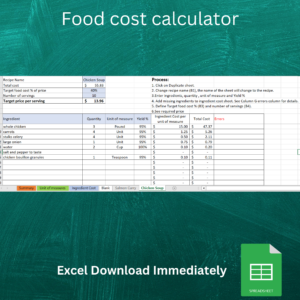
This is the exact Excel food cost calculator from the video: accurate recipe costing, automatic pricing, and full margin visibility, built for restaurants, caterers, and food businesses.
Trusted by 170+ restaurants and food businesses.
- Sub-recipes — build recipes from other recipes, no manual re-entry
- Automatic unit conversions — buy by the case, cost by the gram
- Selling price calculator — get a suggested menu price instantly
What’s Included
- One ready-to-use Excel workbook (a recipe cost template, built and ready — not built from scratch)
- Pre-built ingredient database
- Pre-built recipe and sub-recipe structure
- Automatic cost and pricing calculations
- Instant digital download after purchase
- Email support for setup questions
Please note: because this is an instant digital download, all sales are final. We do not offer refunds — please review the system requirements below before purchasing.
Key Features
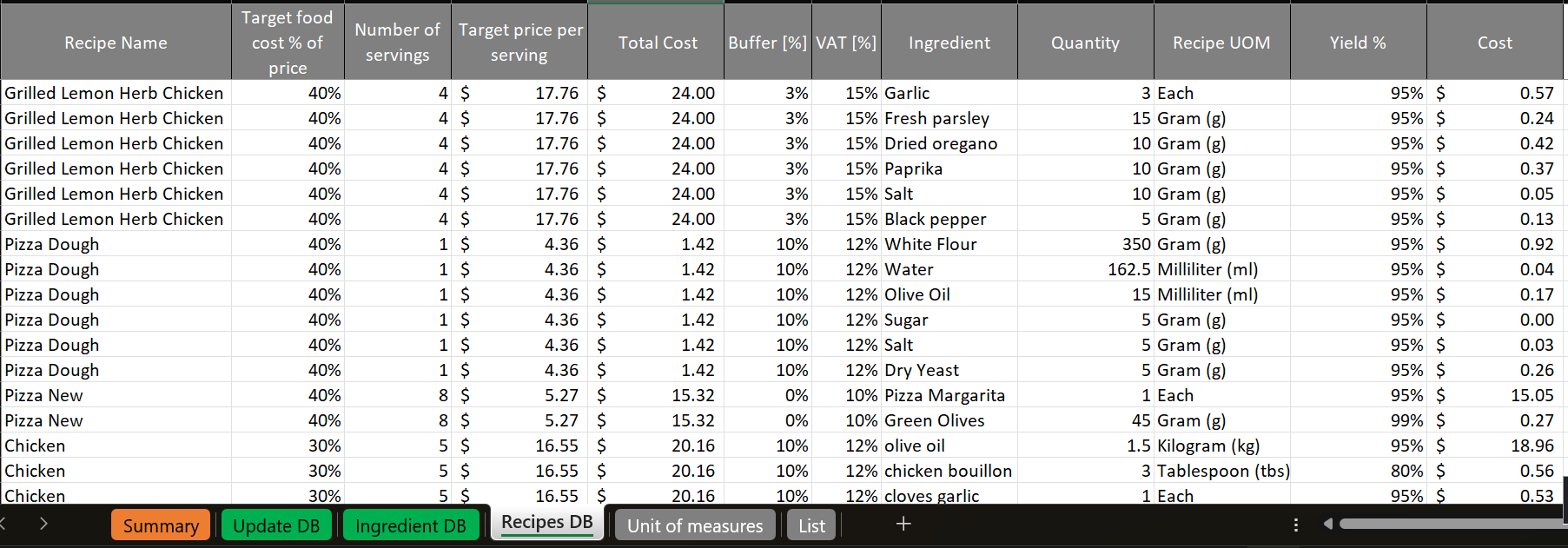
Unlimited Recipes — Add every dish on your menu, with no caps.
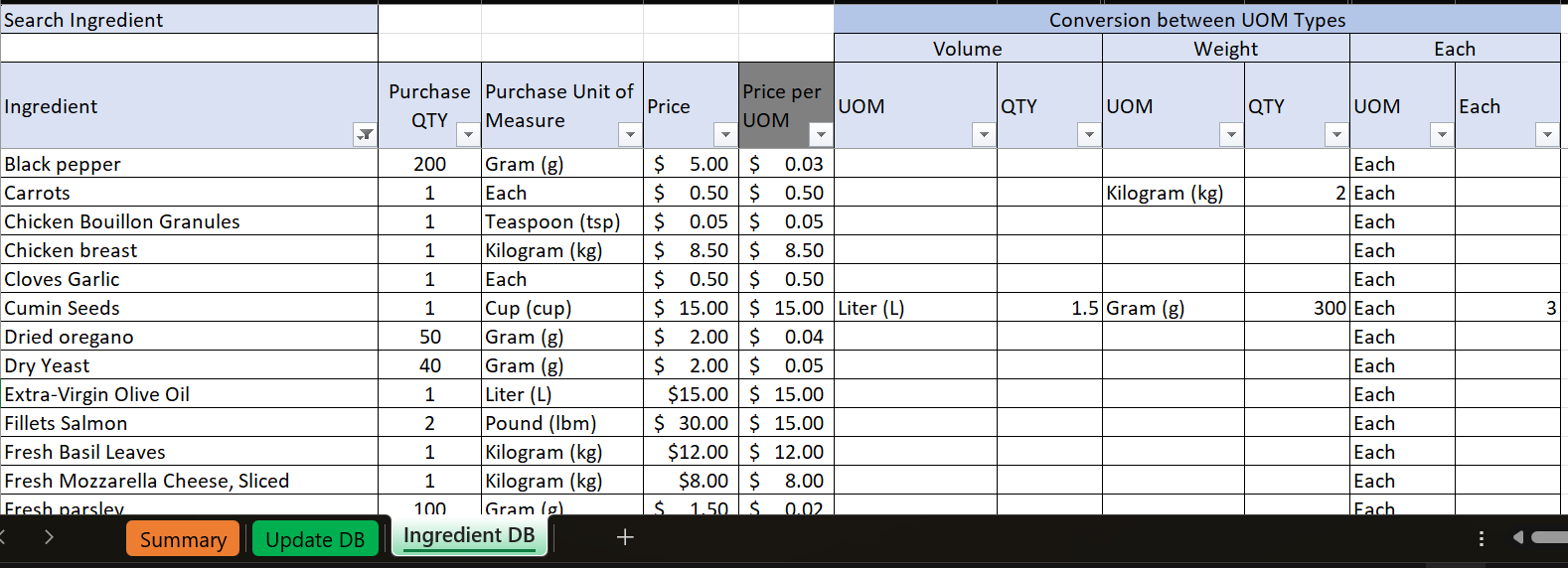
Unlimited Ingredients — Build your ingredient list once, and reuse it everywhere.
Ingredient Database — Update a price once, and every recipe using it updates automatically.
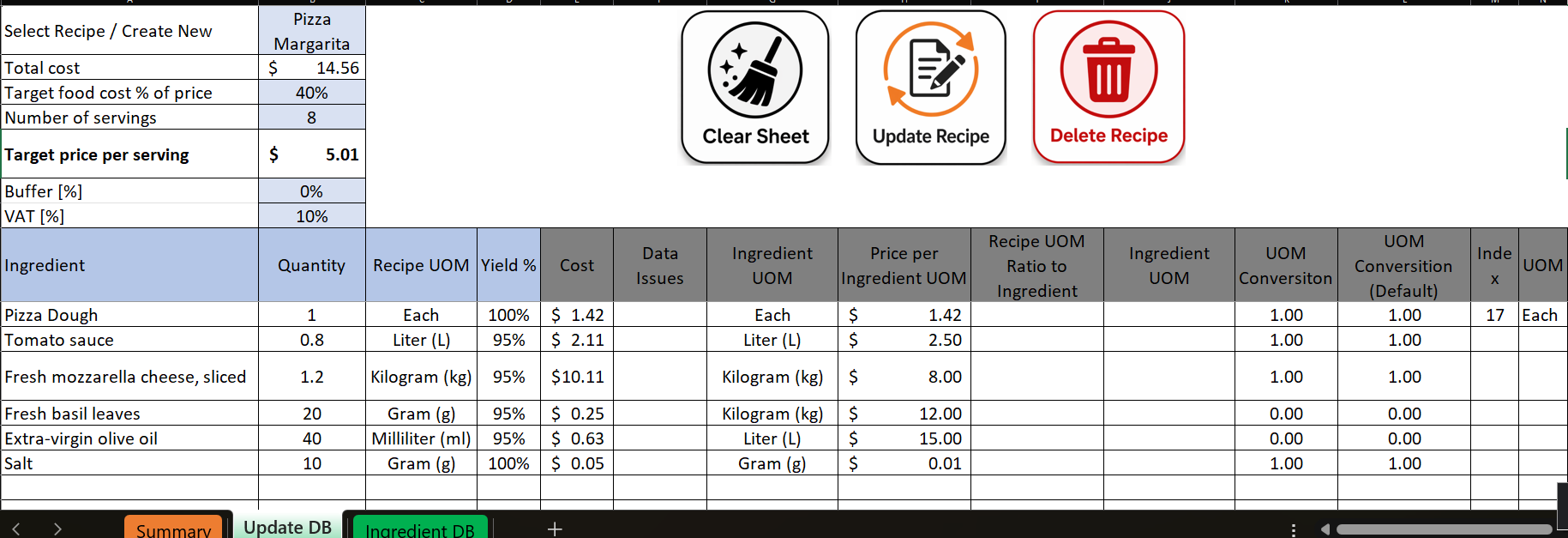
Sub-Recipes — Build recipes from other recipes (a sauce used in five dishes) without re-entering costs.
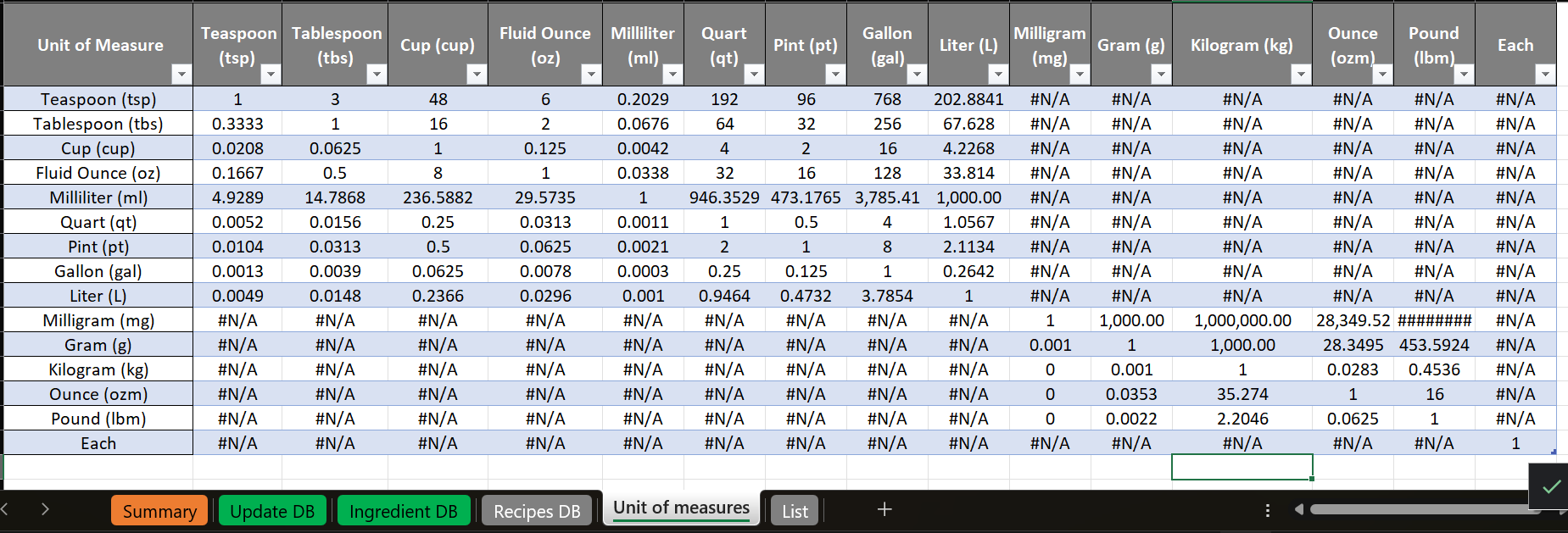
Automatic Unit Conversions — Buy by the case, cost by the gram — conversions are handled for you.
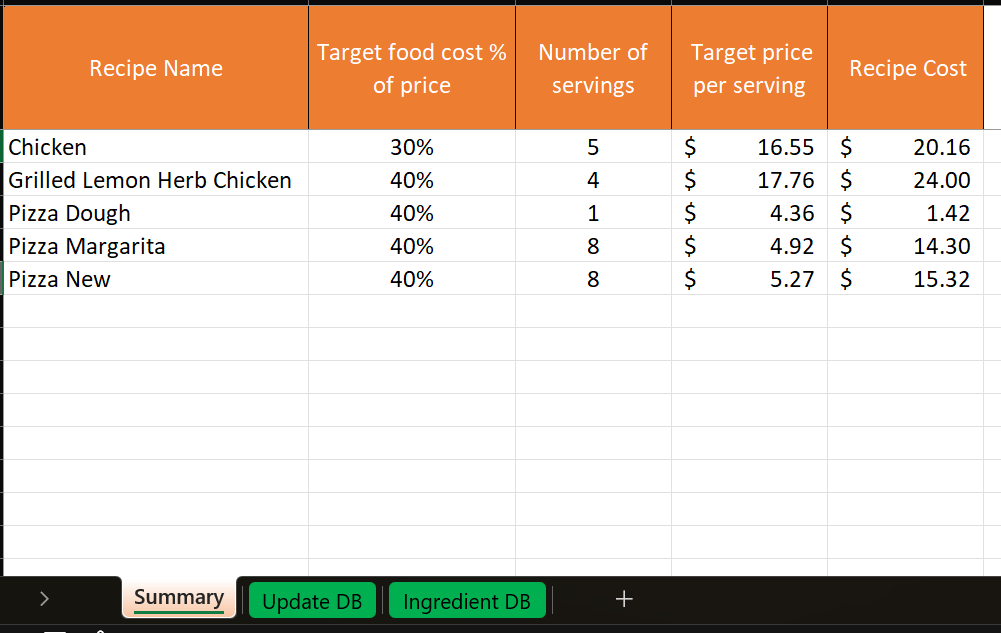
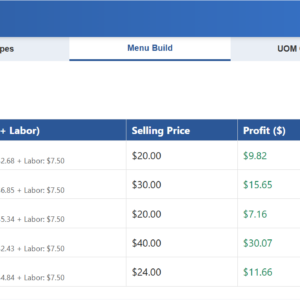
Selling Price Calculator — Set a target food cost percentage and get a suggested menu price instantly.
Food Cost Calculations — See exact cost-per-plate and cost-per-portion for every recipe.
Clean Excel Interface — No clutter, no learning curve. If you already use Excel, you already know how to use this.
Manual Spreadsheets vs. This Calculator
| Capability | Manual Spreadsheet | This Calculator |
|---|---|---|
| Recipe cost setup | Manual, error-prone | Automated |
| Sub-recipes | Re-enter costs by hand | Built in |
| Unit conversions | Manual math | Automatic |
| Price updates | Update by hand | Update once, applies everywhere |
| Selling price guidance | None | Built in |
| Setup time | Hours | Minutes |
Why Excel?
- One-time purchase — no subscription or monthly fees
- Works offline — your data stays on your computer
- Familiar interface — no new software to learn
System Requirements
- Microsoft Excel for Windows (Office 365 recommended)
- Macros (VBA) must be enabled
- Not compatible with Google Sheets or Excel Online
Perfect For
Restaurant owners · Caterers · Food businesses · Meal prep services · Anyone managing recipe costs
Frequently Asked Questions
Is this a subscription?
No — it’s a one-time purchase. Use it for as long as you like.
Can I use this on Mac?
This tool is built and tested for Excel on Windows. It has not been tested on Excel for Mac and may not work as expected there — Mac users should consider our cloud-based Food Cost platform instead.
Do you offer refunds?
No. Because this is an instant digital download, all sales are final. Please review the system requirements above before purchasing.
What if I need help setting it up?
Email support is included — reach out and we’ll help you get started.
What if I need multi-user or cloud access?
Check out our cloud-based Food Cost platform for teams that need shared, real-time access, inventory management, and access from anywhere.
Need multi-user collaboration, cloud access, inventory management, and access from anywhere? Check out our cloud-based Food Cost platform.
Reviews
There are no reviews yet.