
Description
See Every Material You Need — Across Every Level
Most Excel BOM tools stop at one level. This one doesn’t. It handles full multi-level bill-of-materials structures — finished goods, sub-assemblies, and raw materials — so you get a complete material requirement list with no missing components and no surprises.
Key Features
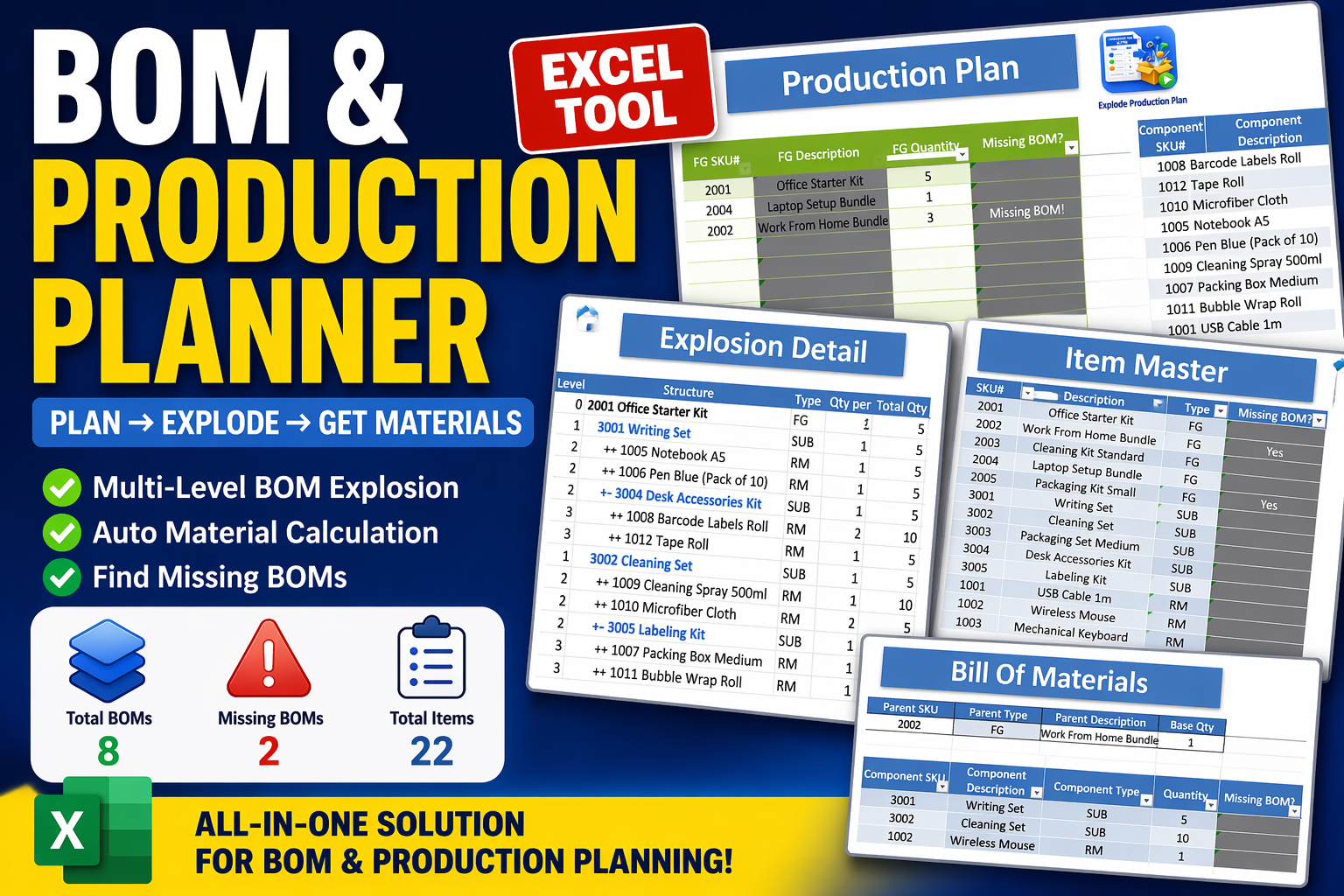
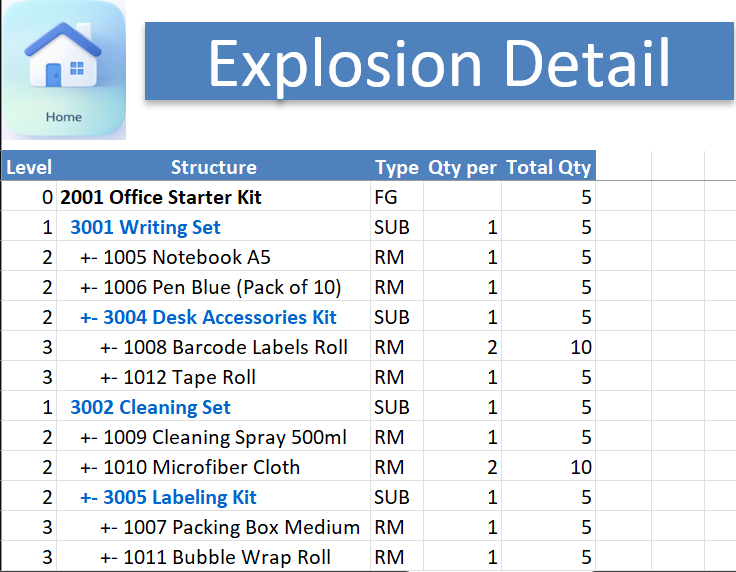
Multi-Level BOM Explosion — Supports full hierarchy (finished goods → sub-assemblies → raw materials), with quantities calculated automatically across every level.
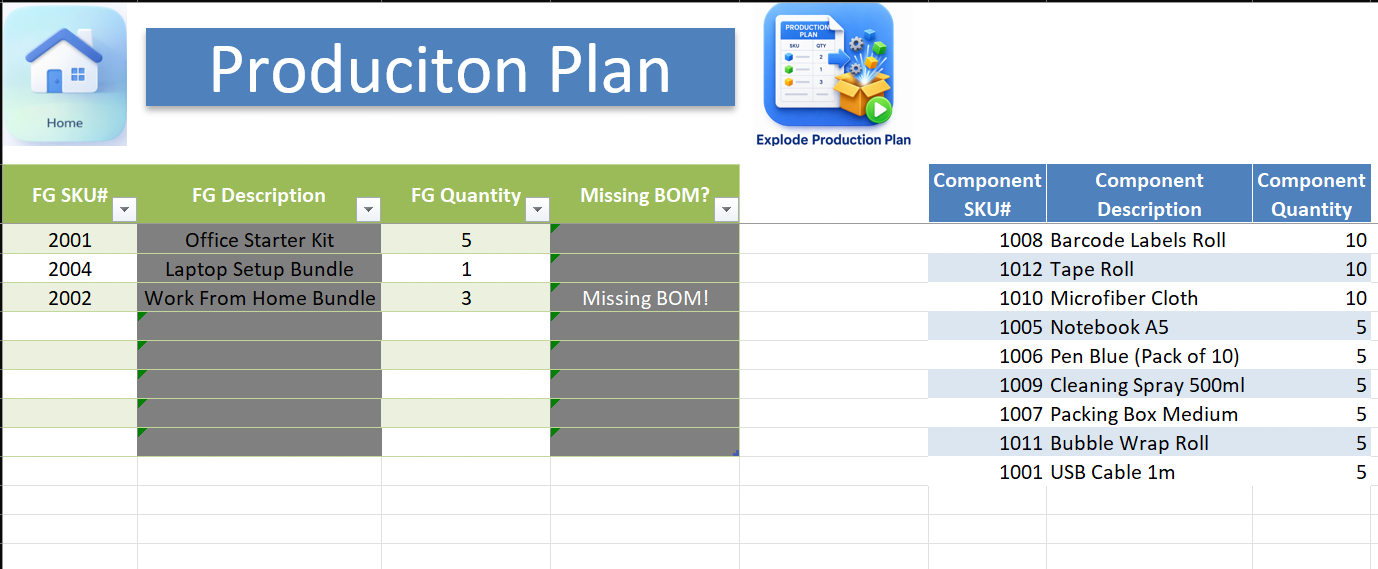
Production Planning — Enter multiple finished goods and the full explosion runs instantly.
Explosion Detail View — A visual hierarchy of the BOM structure so you can trace materials across levels and understand dependencies clearly.
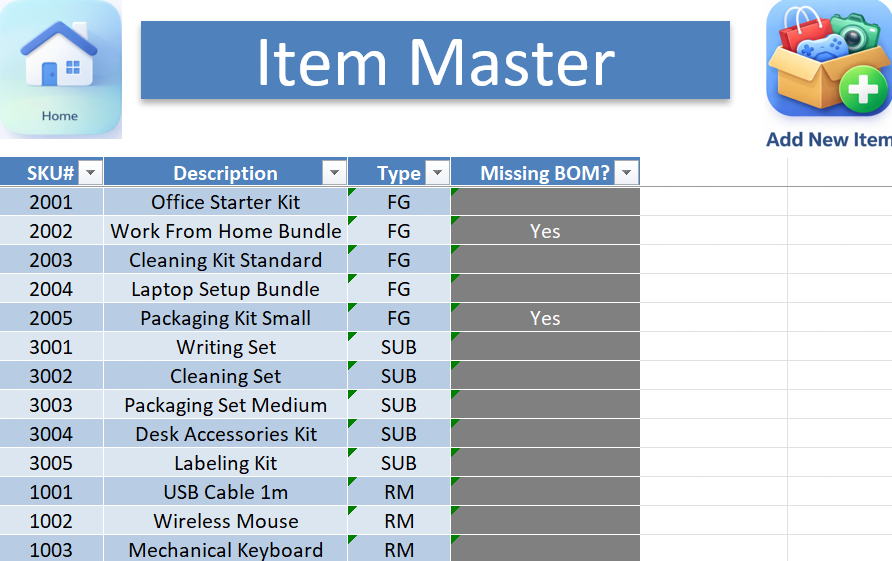
Missing BOM Detection — Flags sub-assemblies that don’t have a BOM defined yet, before they become a planning gap.
Item Master — A central database of every item, classified as finished good, sub-assembly, or raw material.
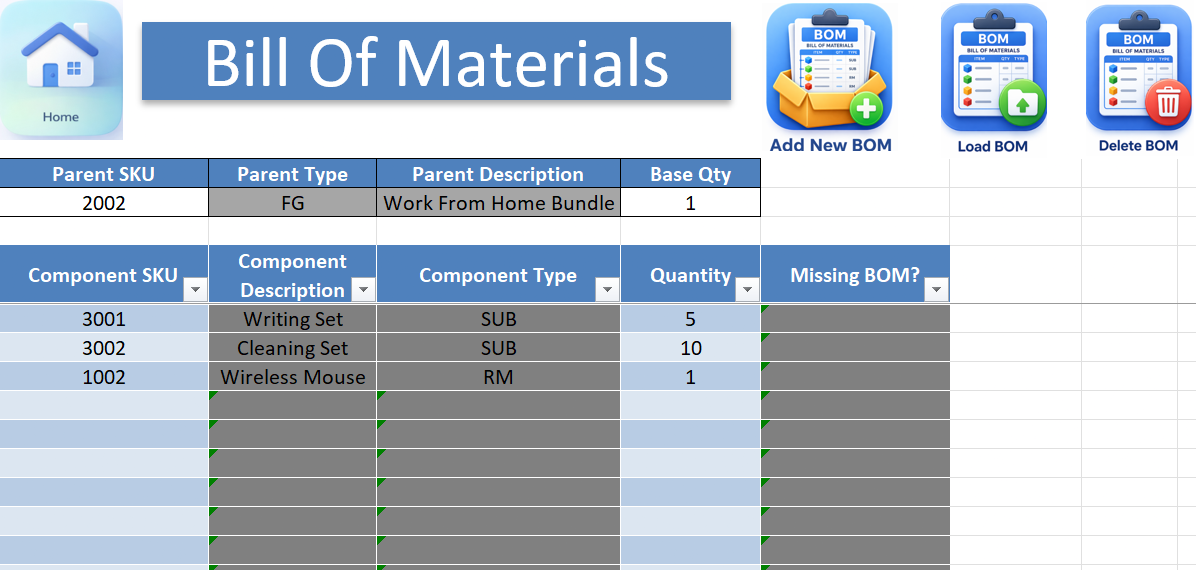
BOM Builder — Build, edit, and validate BOM structures directly in the file.
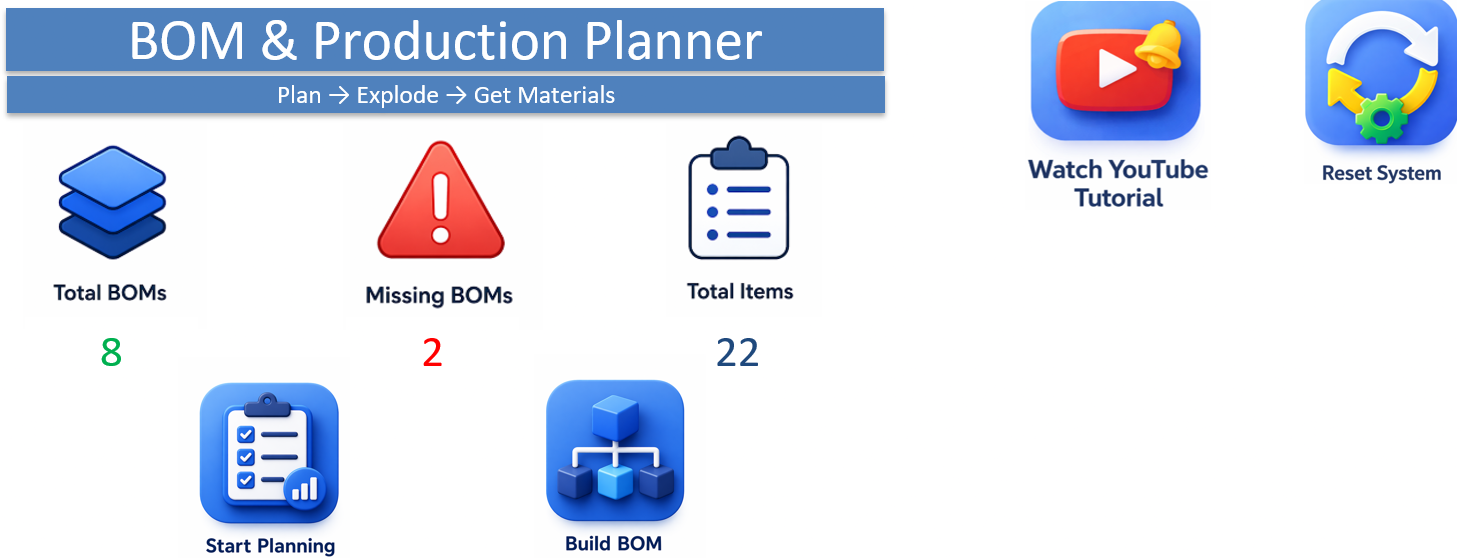
KPI Dashboard — Total BOMs, missing BOMs, and total items, at a glance.
Material Summary — Aggregates every material across all your finished goods, removes duplicates, and is ready for purchasing.
What’s Included
- One ready-to-use Excel workbook (.xlsm)
- Pre-built item master, BOM builder, and explosion engine
- Automatic KPI dashboard and material summary
- Instant digital download after purchase
- Email support for setup questions
Please note: because this is an instant digital download, all sales are final. We do not offer refunds — please review the system requirements below before purchasing.
Why Excel?
- One-time purchase — no subscription or monthly fees
- Works offline — your BOM and production data stays on your computer
- No ERP implementation — runs inside Excel you already have
System Requirements
- Microsoft Excel for Windows (Office 365 recommended)
- Macros (VBA) must be enabled
Perfect For
Multi-level BOM management · Production planning · Material requirements planning (MRP) · Complex product structures · BOM validation
Frequently Asked Questions
Is this a subscription?
No — it’s a one-time purchase. Use it for as long as you like.
How many BOM levels does it support?
As many as your product structure needs — finished goods, sub-assemblies within sub-assemblies, and raw materials.
What if a sub-assembly is missing its BOM?
The tool flags it automatically, so you catch the gap before it affects your material plan.
What if I need help setting it up?
Email support is included — reach out and we’ll help you get started.
Do you offer refunds?
No. Because this is an instant digital download, all sales are final. Please review the system requirements above before purchasing.
Questions before or after your purchase? Reach out any time — happy to help.
Thank you,
Elad
Reviews
There are no reviews yet.