
Description
Take Control of Invoices, Payments, and Cash Flow
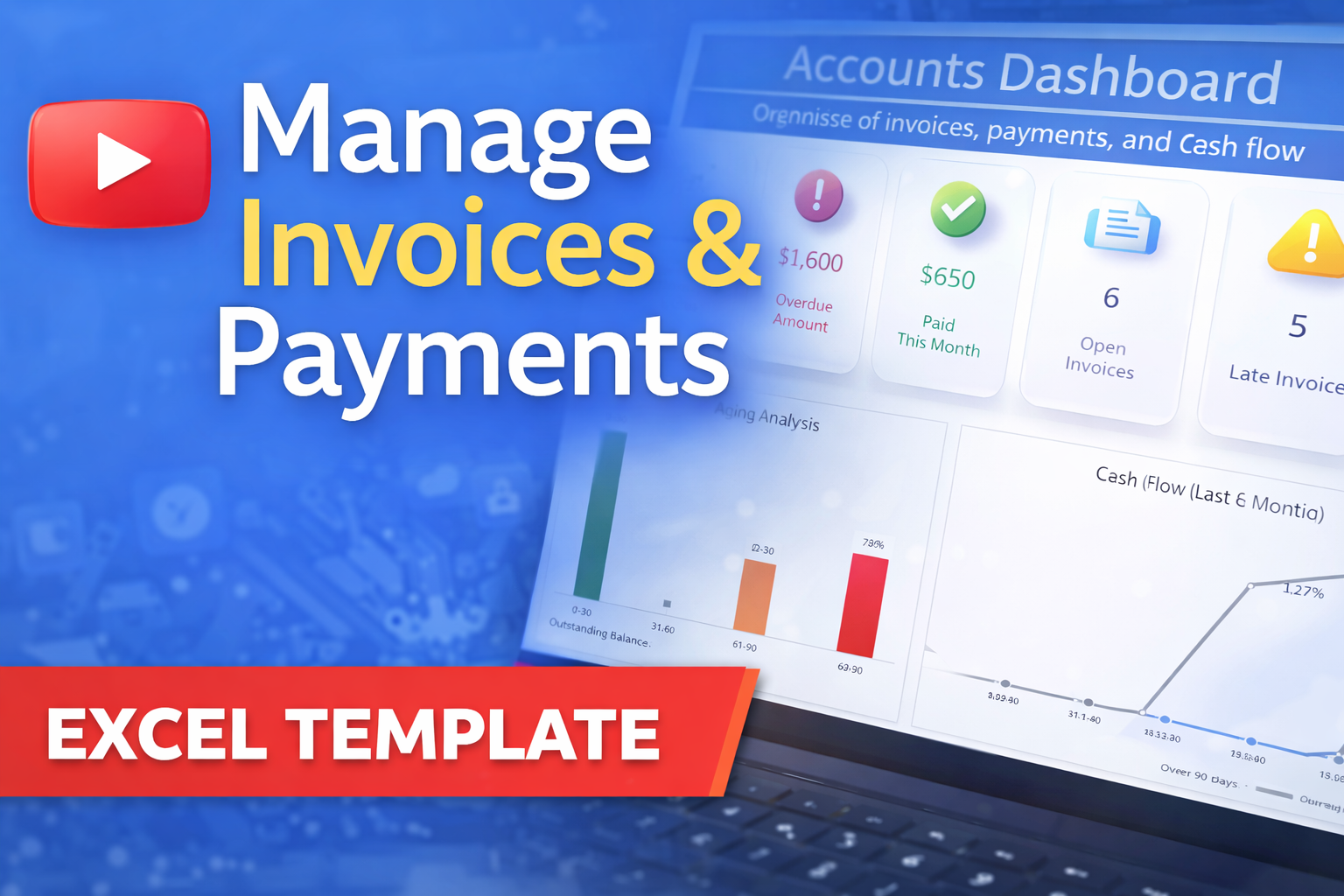
Stop guessing your numbers. This Excel dashboard gives freelancers, small business owners, and finance teams a clear, organized way to track every invoice, payment, and overdue balance in one place.
Key Features
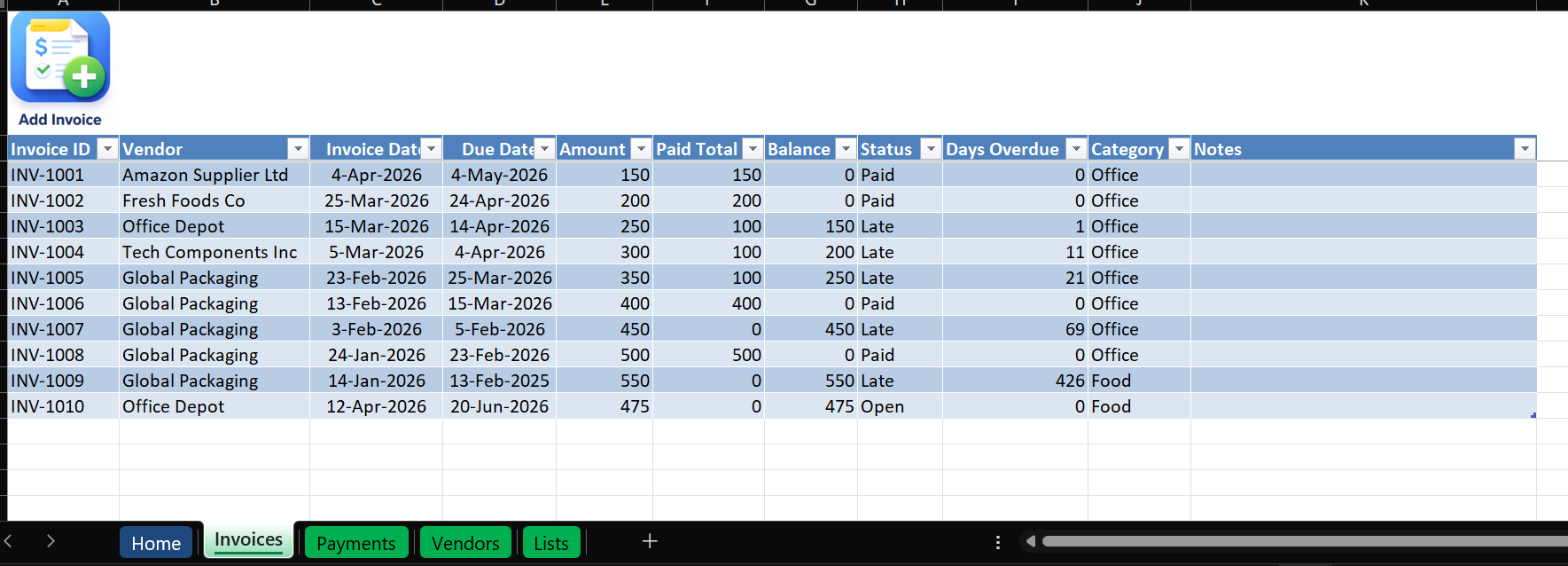
Invoice Tracking — Track every invoice and its status (Open / Paid / Late), updated automatically based on payments and due dates.
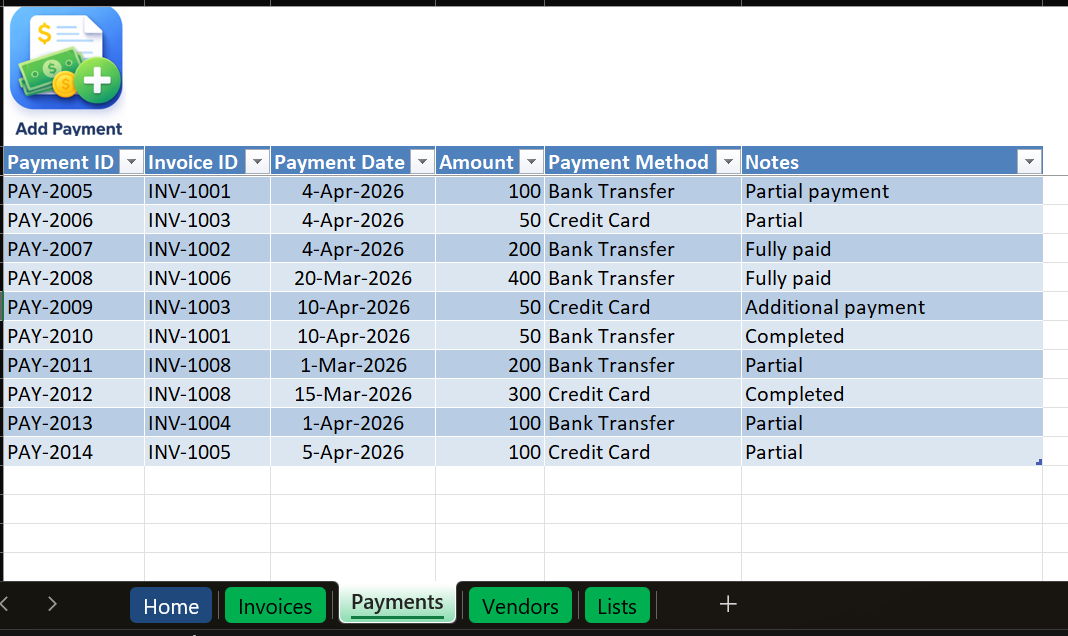
Payment Tracking — Record multiple payments per invoice, with dates and methods, and totals updated automatically.
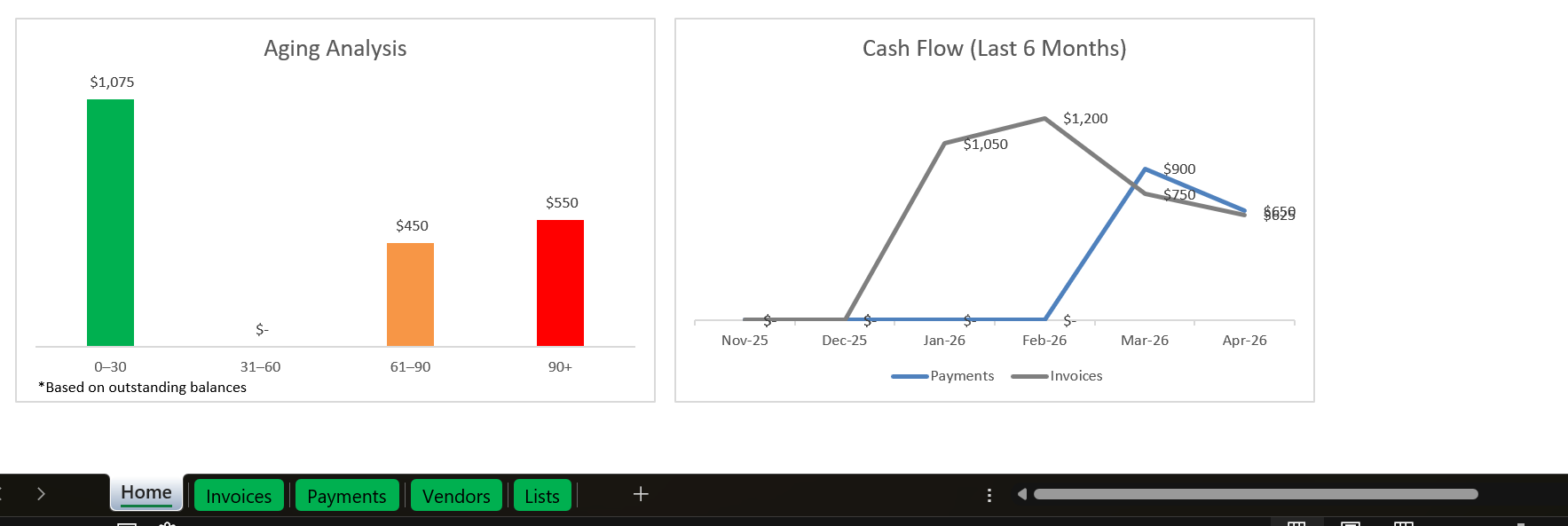
Aging Analysis — See overdue balances broken down by 0–30, 31–60, 61–90, and 90+ days.
Cash Flow Trend — Visualize cash flow over the last 6 months.
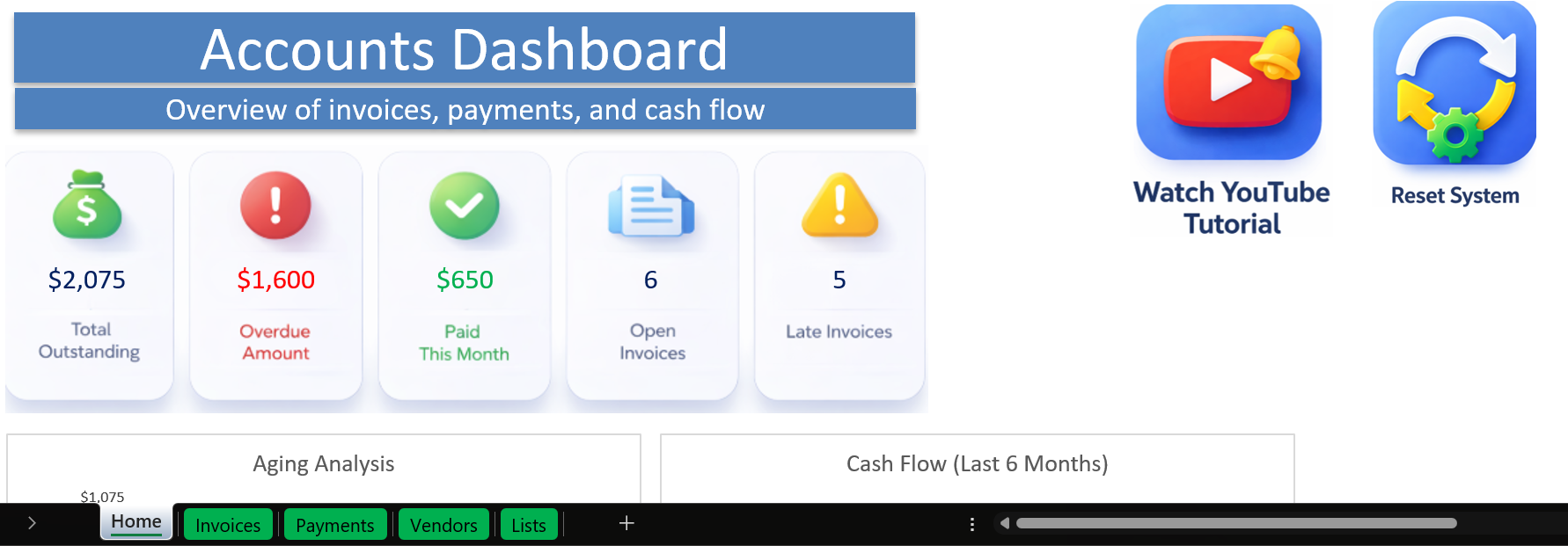
Live Dashboard — Total outstanding balance, overdue amount, payments received this month, and open/late invoice counts — updating automatically as you add data.
Smart Automation — Automatic calculations, dynamic dashboard updates, and a built-in reset system to start fresh whenever you need to.
What’s Included
- One ready-to-use Excel workbook (.xlsm)
- Pre-built invoice tracker, payment log, and dashboard
- Automatic aging and cash flow calculations
- Instant digital download after purchase
- Email support for setup questions
Please note: because this is an instant digital download, all sales are final. We do not offer refunds — please review the system requirements below before purchasing.
Why Excel?
- One-time purchase — no subscription or monthly fees
- Works offline — your financial data stays on your computer
- No new software to learn — runs inside Excel you already have
System Requirements
- Microsoft Excel for Windows (Office 365 recommended)
- Macros (VBA) must be enabled — they power invoice/payment entry, the reset system, and other automated features
- Not compatible with Excel Online (browser version)
Perfect For
Freelancers · Small business owners · Consultants · Anyone managing invoices manually in Excel
Frequently Asked Questions
Is this a subscription?
No — it’s a one-time purchase. Use it for as long as you like.
Is there a limit on invoices or payments?
No. Track as many as you need.
What if I need help setting it up?
Email support is included — reach out and we’ll help you get started.
Can I use this in Excel Online or on Mac?
It’s built and tested for desktop Excel on Windows. It’s not compatible with Excel Online, and hasn’t been tested on Mac.
Do you offer refunds?
No. Because this is an instant digital download, all sales are final. Please review the system requirements above before purchasing.
Questions before or after your purchase? Reach out any time — happy to help.
Thank you,
Elad
Reviews
There are no reviews yet.